


VPN vs GPS Location Changer: Which Tool Do You Actually Need?

Quick Answer: No, a standard VPN does not change your device’s GPS location. A VPN alters your IP address (network data) to secure your internet connection, but it does not natively alter your device’s GPS coordinates (operating system data).
If you recently bought a paid VPN specifically to change your location on dating apps like Tinder or AR games like Pokémon GO, it is completely normal to feel frustrated when the app still detects your real physical location. Both VPNs and GPS changers are legitimate tools, but they serve entirely different technical requirements.
VPN vs. GPS Location Changer: The Core Differences
To understand why your VPN isn’t working for mobile apps, it helps to look at the exact data each tool alters.
| Feature | VPN (Virtual Private Network) | GPS Location Changer |
|---|---|---|
| Data Changed | IP Address (Network data) | GPS Coordinates (OS data) |
| Level of Operation | Network connection | Device Operating System (iOS/Android) |
| Primary Function | Encrypting internet traffic and masking your IP for privacy or streaming. | Spoofing physical geographical location for location-based mobile apps. |
VPNs are highly effective at encrypting your internet traffic and routing it through a secure server. This makes them perfect for online privacy. However, a GPS location changer does not encrypt your network traffic at all; instead, it alters the OS-level coordinate data that your phone sends to apps. One tool does not replace the other, as they serve completely different primary purposes.
Why Mobile Apps Easily Bypass VPNs
If a VPN masks your internet address, why do mobile apps still know exactly where you are? The answer comes down to OS-level location permissions.
When you install apps like Tinder, Bumble, or Pokémon GO, they request direct GPS permissions from your iOS or Android device. Once you grant this permission, the app prioritizes the physical GPS satellite data generated by your phone’s receiver over the network IP address.
This is a deliberate app design meant to prevent simple IP spoofing. Because a VPN only encrypts your network connection and does not interact with your device’s internal GPS receiver, mobile apps easily bypass the VPN and read your true physical location. This makes many VPN provider claims about “changing your location” highly misleading if you intend to use mobile apps. For these scenarios, you need dedicated virtual location resources.
Which Tool Do You Need? (App-by-App Guide)
To resolve the confusion, you need to match the tool to the specific app you are using. Here is a practical guide to help you choose the right solution for your goal.
| App Type | Example Apps | Location Data Used | Tool Required |
|---|---|---|---|
| Streaming Services | Netflix, Hulu, BBC iPlayer | IP Address | VPN |
| Web Browsing & Privacy | Chrome, Safari, bypassing ISP blocks | IP Address | VPN |
| Dating Apps | Tinder, Bumble, Hinge | OS GPS Coordinates | GPS Location Changer |
| AR Gaming | Pokémon GO, Monster Hunter Now | OS GPS Coordinates & Movement | GPS Location Changer |
If your goal is to access regional streaming libraries or browse privately, keep your VPN. But if you want to match in a new city on a dating app or change location in Pokémon GO, a VPN is useless for your task—you require a dedicated GPS location changer.
When and Why to Use a Dedicated GPS Location Changer
Now that you know you need to alter your coordinates for dating and gaming apps, the next step is doing it safely. Because mobile apps pull data directly from your device’s OS, you must override the phone’s native GPS signal.
Historically, users tried to download on-device “fake GPS” apps directly to their phones. However, these mobile apps are often unstable. On iOS, they typically require risky jailbreaking, and on Android, they involve developer settings that modern AR games easily detect, leading to account bans or errors.
Instead of struggling with detected mobile apps, the most reliable method is to use a dedicated desktop GPS location changer. By managing the location spoofing from a computer, you get a guided, safer way to override your mobile device’s coordinates without needing to alter your network or expose your device to risky modifications.
Changing OS Coordinates with Fonelora Location Changer
If you need a reliable way to change your GPS coordinates, Fonelora Location Changer provides a guided desktop workflow for supported iOS and Android devices. Unlike a VPN, Fonelora directly overrides the OS-level GPS data, successfully filling the capability gap so that dating apps and AR games read your new location.
Change GPS Anywhere — Enjoy 100% native support for Pokémon GO (No Error 12), MHN, Snapchat, Tinder, and more—without any cracked versions or jailbreak.
Fonelora is designed with specific modes for specific user pains: Teleport Mode allows you to instantly change your location for dating apps, while Joystick Mode and Route Simulation provide the controlled movement required for location-based games.
How the guided workflow works:
- Connect your device: Open Fonelora Location Changer on your Mac or PC and connect your supported iPhone or Android via USB or Wi-Fi.
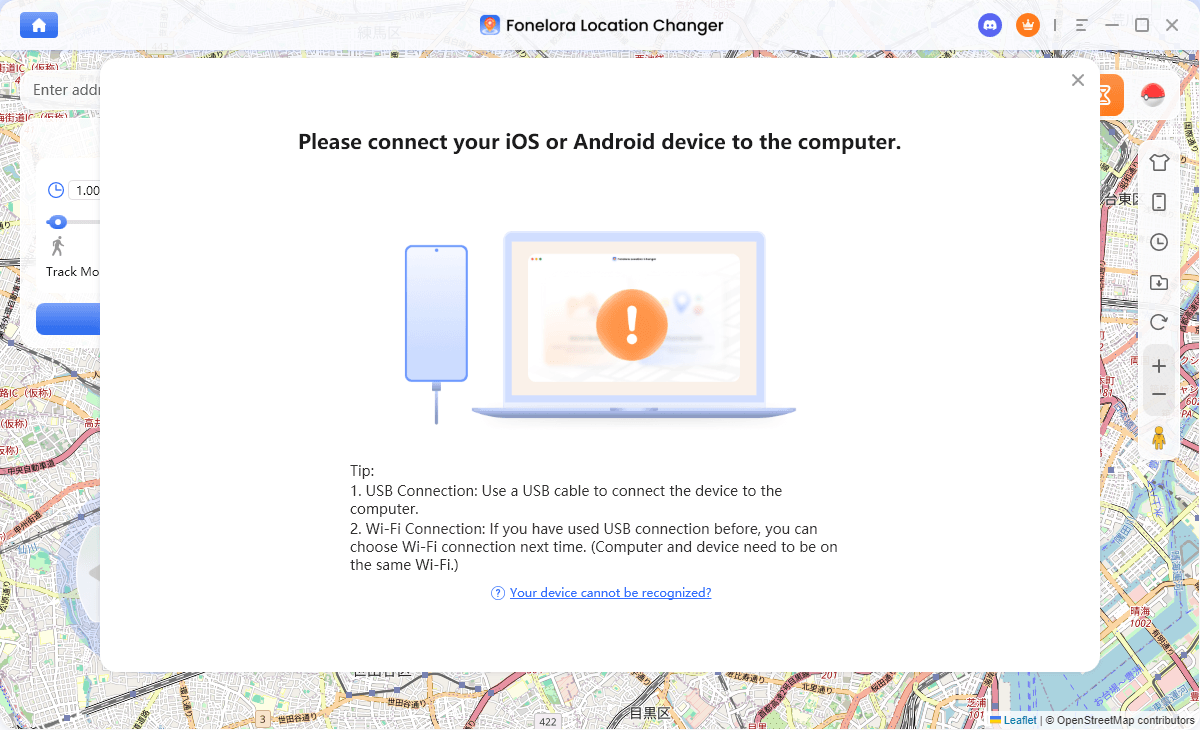
Connect with Your Devices
- Choose a movement mode: Select Teleport Mode for an instant jump, or Joystick/Multi-Spot Mode if you need to simulate walking for an AR game.
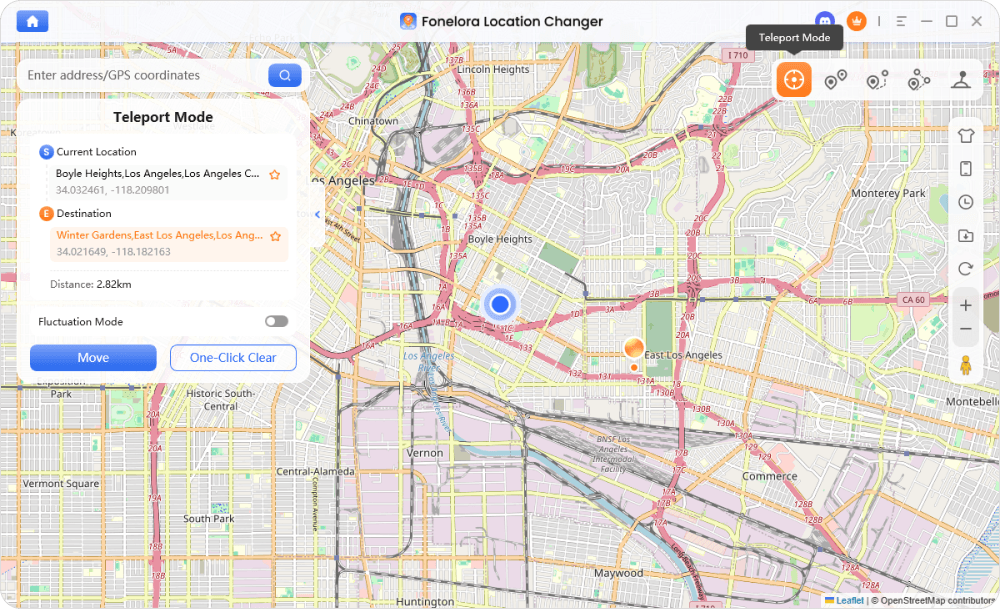
Teleport Mode
- Select your new location: Enter an address or specific map coordinate.
- Apply the change: Click to move. Your device’s OS-level GPS is now updated globally for all location-based apps.
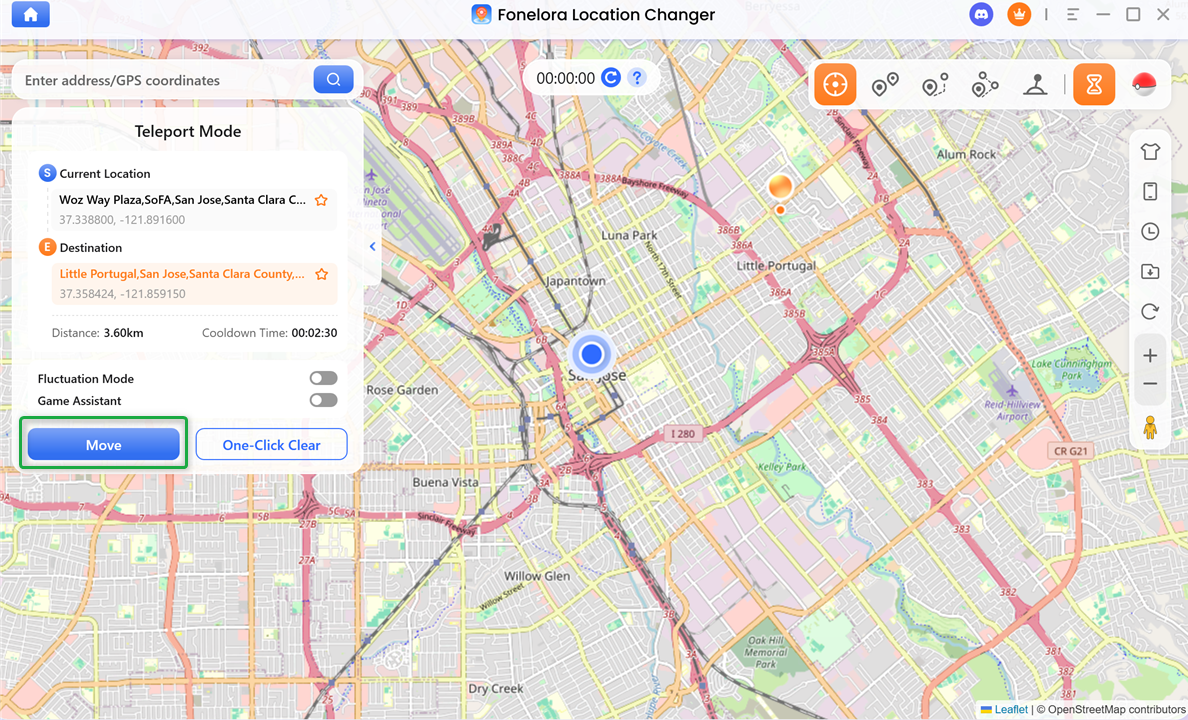
Click “Move”
Note: Compatibility and results may vary by device, OS version, and app policy. Always check third-party app rules and use cooldown reminders when managing game-related movement.
Can I Use a VPN and a GPS Spoofer at the Same Time?
A common point of confusion is whether you can run both a VPN and a GPS location changer simultaneously. The answer is yes, they can work together without conflict.
You can run a VPN app on your phone to encrypt your mobile web traffic while simultaneously connecting your phone to a desktop GPS location changer to spoof your coordinates. This dual setup is highly useful in strict privacy scenarios or if you are trying to access a geo-blocked local game server that checks both your IP address and your GPS location.
However, for standard dating app usage or basic AR gaming, running both is usually unnecessary. For those tasks, just the GPS location changer is sufficient to alter your visible app location.
FAQs About VPNs and GPS Location Changing
Q1. Do I need a VPN or a fake GPS for Tinder?
For Tinder and other dating apps, you need a fake GPS for Tinder or a dedicated location changer. Dating apps rely on your device’s physical GPS coordinates, not your IP address, so a VPN will not change your matching location.
Q2. Can a VPN spoof Pokémon GO location?
No, a VPN cannot spoof your location in Pokémon GO. AR games require precise OS-level GPS coordinates and simulated movement data. You need a dedicated GPS location changer to play in different regions.
Q3. Will a GPS changer hide my IP address?
No, a GPS location changer only alters your geographic location coordinates on your device. It does not encrypt your network traffic. If you want to hide your IP address for browsing privacy, you still need a VPN.
Q4. Are GPS location changers safe for my phone?
Using a standard desktop-to-device GPS location changer is generally safer for your phone than downloading unstable mobile spoofing apps, as it typically does not require risky rooting or jailbreaking.
Q5. Does changing my Apple ID region change my GPS?
No, changing your Apple ID region only updates your App Store billing details so you can download region-restricted apps. It does not alter your device’s real-time physical GPS coordinates.
The Bottom Line: Choose Based on Your App’s Needs
Ultimately, the choice between a VPN and a GPS location changer comes down to exactly what app you are trying to use. If you want to unblock Netflix libraries, secure public Wi-Fi, or encrypt your browsing data, keeping your VPN is the right move.
However, if you are trying to change your location on Tinder, Bumble, or AR games, a VPN will not work due to mobile OS GPS permissions. For these scenarios, you need an iOS GPS spoofer or Android location changer to alter your device’s physical coordinates.
Fonelora Location Changer provides a dedicated, guided desktop solution for OS-level coordinate spoofing on supported iOS and Android devices. If you are tired of your real location overriding your VPN, visit the official Fonelora Location Changer page to check device compatibility and download the software to get the precise location control your mobile apps actually require.

Fonelora Location Changer
- 1-Click to change GPS location without jailbreak or root.
- Supports Pokémon GO, Tinder, WhatsApp, Snapchat, Life360, and more.
- Advanced simulation to bypass Error 12 and prevent soft bans effortlessly.
- Teleport or multi-spot routing with fully customizable speeds.
100% Clean & Safe
100% Clean & Safe

Join Our Discord Community
Join our Discord community to meet and chat with other LBS game players, stay on top of the latest game tips & tricks, and also get instant support from us.
Join Now