


What is the Best GPS Spoofing App in 2026?

Quick Answer: The best GPS spoofing app depends on your device and what you are trying to achieve, but desktop-tethered tools are currently the safest and most reliable option for location-based (LBS) gaming.
While Android users have access to free, native mobile spoofing apps directly on their phones, these apps increasingly trigger anti-cheat bans and errors in modern AR games unless the device is subjected to complex root setups. For iOS users, native spoofing apps are strictly limited by Apple’s App Store policies. Changing your iPhone’s location generally requires a tethered desktop tool to avoid jailbreaking your device.
This guide compares your main spoofing options, explains why native mobile apps keep failing, and helps you choose a reliable solution among the vast virtual location resources available so you can bypass frustrating errors and rubberbanding without risking your accounts.
Why Native Mobile Fake GPS Apps Keep Failing (and Trigger Error 12)
If you have tried using a standard fake GPS app from the Google Play Store or a third-party iOS store, you have likely encountered the dreaded “Failed to detect location” warning—commonly known as Error 12 in LBS games.
Native mobile spoofing apps are easily detected by modern games because they rely on basic “mock location” settings. Modern game developers have updated their anti-cheat systems to instantly flag these basic overrides. When an app simply asks the phone to report a fake location, the game’s security system sees right through it, prompting players to figure out how to safely change Pokémon GO GPS location signals without triggering flags.
Another major issue is rubberbanding. This happens when your phone’s native, physical GPS hardware fights against the software’s spoofed location. Your in-game avatar will violently snap back and forth between your real-world location and your virtual destination. This erratic movement is a massive red flag for game servers and frequently leads to soft bans.
Ultimately, without permanently modifying your device by rooting (on Android) or jailbreaking (on iOS), native mobile apps simply lack the system-level permissions to fully mask their mock location status. Relying solely on them is a high-risk approach for modern AR gaming.
Key Criteria for Choosing a Reliable Location Changer App
To avoid Error 12 and keep your accounts safer, you need to evaluate spoofing tools based on features that actually matter. Before downloading any location changer, check for these essential criteria:
- No Jailbreak or Root Requirement: The tool should work on standard, secure devices. Modifying your phone’s core operating system exposes you to malware and voids your warranty.
- Desktop-Tethered Architecture: Overriding your phone’s GPS via a trusted PC or Mac connection modifies the location signal at a higher system level, successfully bypassing the basic “mock location” detection triggers found in mobile apps.
- Built-in Cooldown Timer: A reliable app should include a visible cooldown timer to remind you to wait before making long-distance virtual jumps, helping you mimic realistic human travel and manage account risk.
- Joystick Control & GPX Support: For AR gaming, simply teleporting is not enough. You need natural, multi-point route simulation and a joystick for precise real-time movement.
- Transparent Pricing: Avoid “free” native apps that secretly sell your data, or tools with hidden automatic subscriptions disguised as free trials.
Comparing the Best GPS Spoofing Apps: Native vs. Desktop-Tethered
To understand why users are migrating away from basic phone apps and actively looking for iOS location spoofing alternatives, it helps to compare the two main categories of spoofing tools: Native Mobile Apps and Desktop-Tethered Solutions.
| Feature | Native Mobile Apps (Android Only) | Desktop-Tethered Software (iOS & Android) |
|---|---|---|
| Platform Support | Android primarily; iOS requires risky sideloading. | Windows and Mac clients connecting to iOS/Android. |
| Root / Jailbreak | Usually required to bypass modern game detection. | Not required for supported workflows. |
| Setup Difficulty | Easy to install, but highly complex to hide from games. | Requires a PC/Mac connection, but guided setup. |
| Error 12 Handling | Extremely poor. High risk of immediate detection. | Strong. Bypasses basic mock-location triggers. |
| Rubberbanding Risk | High, as native GPS fights the software. | Very low, as the desktop overrides the device signal. |
The Verdict: While native mobile apps are often free and don’t require a computer, they carry an incredibly high risk of detection and account bans. Desktop-tethered tools require a PC connection, but they offer significantly lower account risk, stable simulated movement, and are the clear winner for LBS gaming.
Fonelora Location Changer: A Safer Desktop-Tethered Alternative
If you are frustrated by native apps crashing, rubberbanding, or locking you out with Error 12, migrating to a desktop-tethered solution is the logical next step. As a robust iOS virtual location tool and Android location manager, Fonelora Location Changer provides a guided, stable workflow without requiring you to root or jailbreak your daily device.
By overriding the location signal through a secure computer connection, Fonelora Location Changer eliminates rubberbanding. It also features a specialized Game Mode and built-in cooldown reminders designed specifically to minimize account risks under supported conditions. For LBS gamers, features like Joystick Mode allow for precise real-time movement, while Multi-Spot Mode lets you import GPX routes for natural-looking travel.
Change GPS Anywhere — Enjoy 100% native support for Pokémon GO (No Error 12), MHN, Snapchat, Tinder, and more—without any cracked versions or jailbreak.
How the Guided Workflow Works:
- Download and Install: Open Fonelora Location Changer on your PC or Mac.
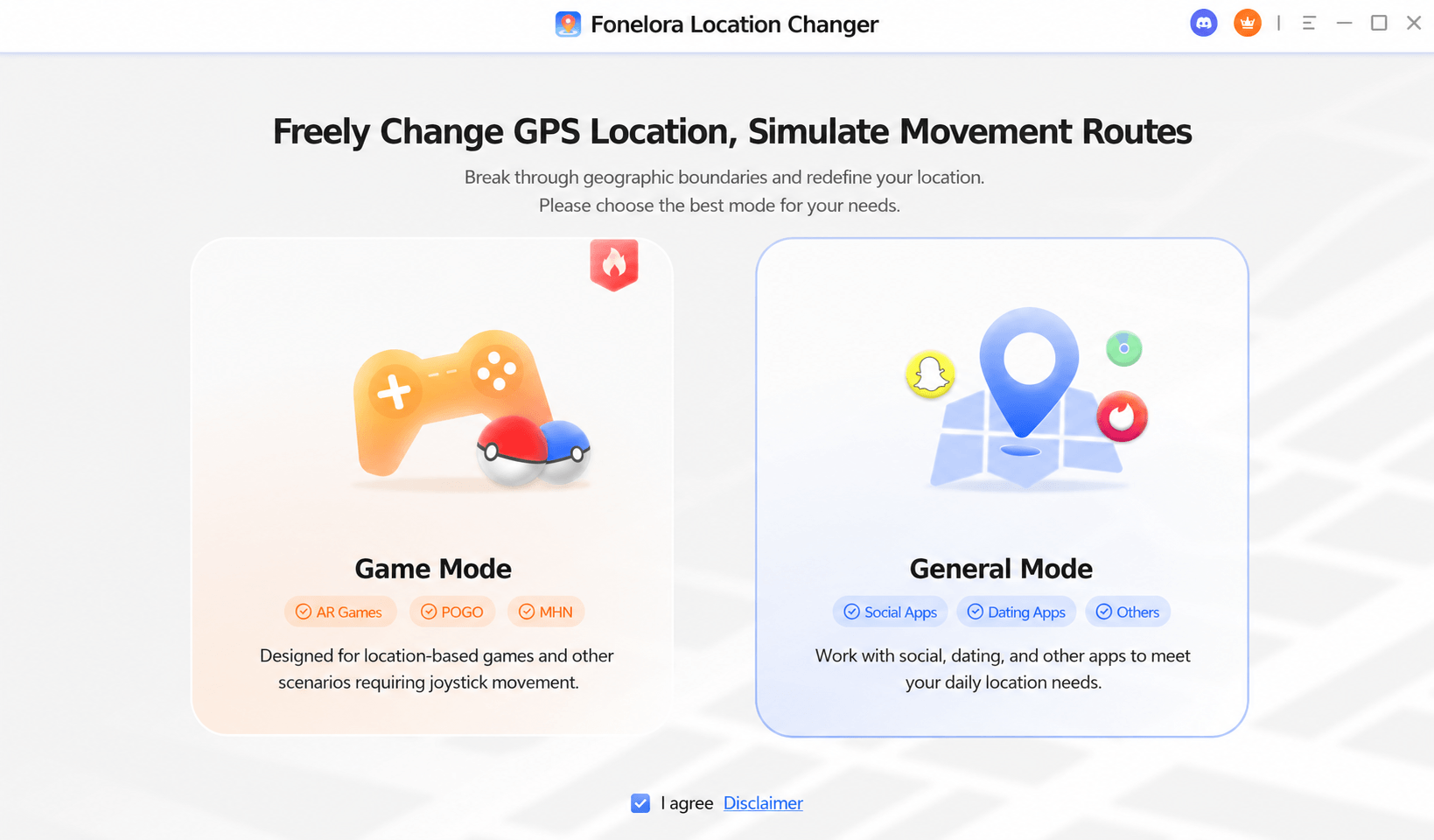
Download Fonelora Location Changer
- Prepare and Connect Your Device: Connect your supported iPhone or Android device via USB.
- (Prerequisite note: To ensure a successful connection, iOS users may need to trust the computer and enable Developer Mode, while Android users must enable USB Debugging and select MTP mode.) Wi-Fi or Bluetooth connection options are also available depending on your OS and the selected mode.
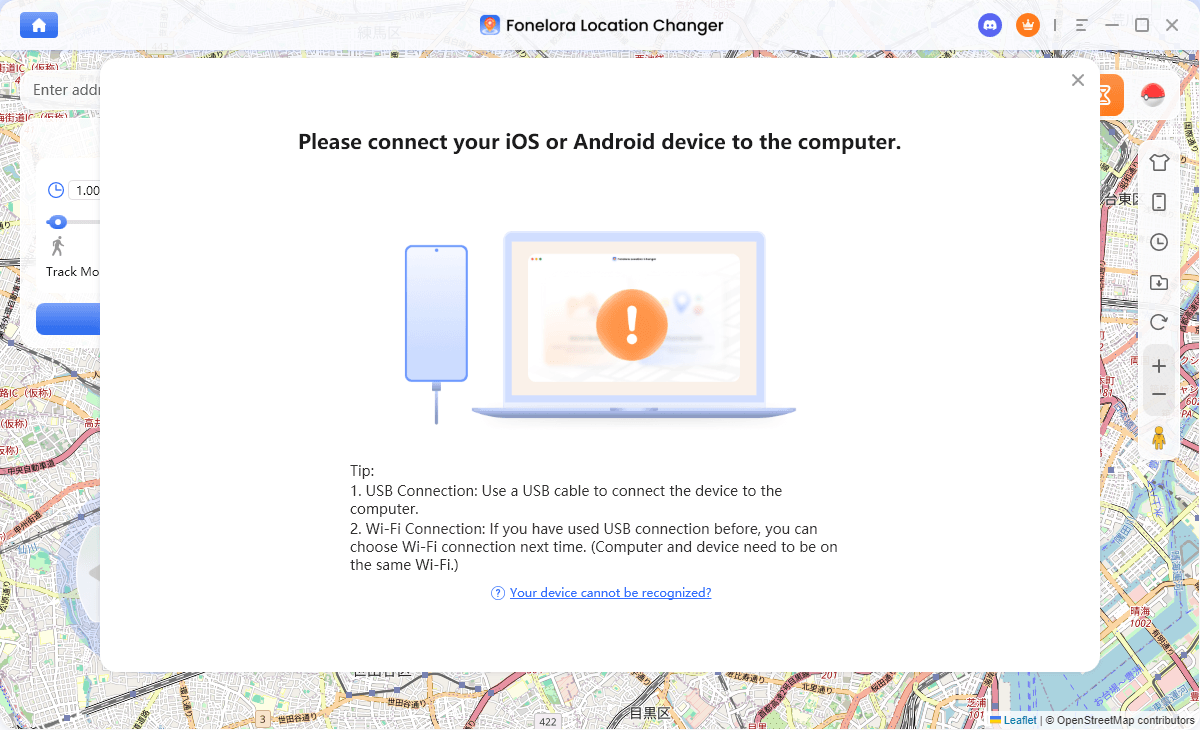
Connect with Your Devices
- Select Your Mode: Choose between Game Mode (optimized for AR games) or General Mode (for dating and privacy apps).
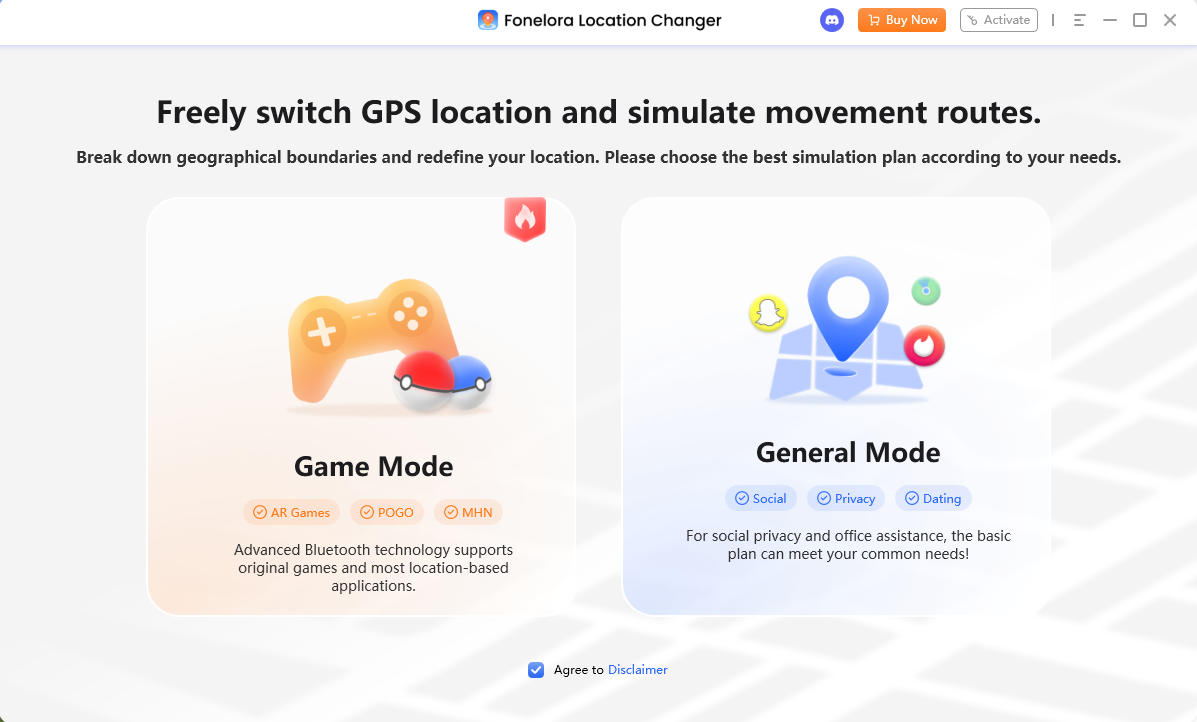
Choose a Mode
- Simulate Movement: Enter a destination to teleport, or use the on-screen joystick to begin exploring your virtual environment safely.
Before proceeding, always verify that your specific device, OS version, and target app are compatible.
Understanding Cooldown Mechanics and Account Risk
Even with the safest desktop-tethered tools, it is vital to understand that no location spoofing app is 100% undetectable or immune to bans. Modern LBS games monitor your in-game behavior just as closely as they monitor your device software.
A cooldown timer is the required waiting period you must observe between performing long-distance virtual jumps. For example, if you catch a Pokémon in New York and immediately teleport to Tokyo, the game knows that traveling that distance in two seconds is physically impossible. This triggers a “soft ban,” preventing you from interacting with the game for a set period.
Using cooldown management features and realistic movement settings (like varying your walking speed) reduces your account risks, but it does not eliminate them.
Best Practice Tip: Always close your AR game completely before teleporting to a new location, review Pokémon GO cooldown rules or your specific game’s wait times, and only reopen the app once the cooldown period has expired.
Frequently Asked Questions About Fake GPS Apps
Q1. What is the best spoofing method for Android without root?
The most reliable method is using a desktop-tethered tool that connects to your Android via USB or Wi-Fi. While Android developer settings allow native mock location apps, modern games easily detect these unless complex system-level rooting is applied. For more details, see our guide on safe GPS spoofing on Android.
Q2. How can I change my iPhone location without jailbreak?
Because Apple strictly limits GPS manipulation on the App Store, the only stable way to change an iPhone’s location without jailbreaking is through desktop-tethered software that overrides the device’s GPS via a trusted computer connection.
Q3. Is there a free GPS spoofing app that actually works?
Yes, there are free native apps available on Android, and they work adequately for basic privacy scenarios (like checking in on a social app). However, free native apps are highly risky and unstable for modern AR gaming.
Q4. How do I prevent rubberbanding when spoofing my location?
To stop your avatar from snapping back to your real location, you must use a stable connection via desktop tethering tools, or resort to complex rooting and system-level modifications on Android.
Q5. Are native mobile spoofing apps safer than desktop tools?
No. Desktop tools are generally much safer because they modify the location signal at a higher system level, bypassing the basic “mock location” flags that games use to catch native mobile apps.
Final Verdict: Which GPS Spoofing App Should You Choose?
Choosing the right GPS spoofing app comes down to what you are trying to accomplish.
If you simply want to alter your location for a basic social or privacy app and you use an Android device, a free native mobile app might suffice—though you must still accept the risks of data privacy and potential app instability.
However, if you are playing LBS games, using dating apps, or are simply tired of battling Error 12 and constant rubberbanding, a desktop-tethered solution is required.
For a stable, guided, and feature-rich virtual location experience, Fonelora Location Changer is a reliable next step. It bridges the gap by offering precise joystick control, GPX route support, and essential cooldown management without forcing you to root or jailbreak your daily device.
Before modifying your location, always check the compatibility of your specific device and review the terms of service for your target apps. Ready to upgrade your virtual location workflow? Download Fonelora Location Changer and check your device compatibility today.

Fonelora Location Changer
- 1-Click to change GPS location without jailbreak or root.
- Supports Pokémon GO, Tinder, WhatsApp, Snapchat, Life360, and more.
- Advanced simulation to bypass Error 12 and prevent soft bans effortlessly.
- Teleport or multi-spot routing with fully customizable speeds.
100% Clean & Safe
100% Clean & Safe

Join Our Discord Community
Join our Discord community to meet and chat with other LBS game players, stay on top of the latest game tips & tricks, and also get instant support from us.
Join Now