Help Category


Download & Updates
1. What computer operating systems are compatible with Fonelora Location Changer?
Fonelora Location Changer currently supports both Windows and Mac operating systems.
● Windows: Windows 10 / Windows 11
● Mac: macOS 10.15 or later
2. What can I do if the download of Fonelora Location Changer is not successful?
If you are not able to download Fonelora Location Changer on your computer, would you please follow the suggestions below?
(1). Please make sure that the Internet connection is stable when you download and install Fonelora Location Changer.
(2). Please make sure that your computer has enough storage.
(3). Please temporarily turn off the anti-virus system on your computer.
(4). Please try to copy & paste the download URL in the browser to download Fonelora Location Changer.
If the problem unfortunately persists, please contact our Support Team to help you.
3. How do I update Fonelora Location Changer to the latest version?
There are two ways to update Fonelora Location Changer to the latest version. One is to check for updates from Fonelora Location Changer directly. Please unfold Settings icon and choose Check for updates option.
For Windows:
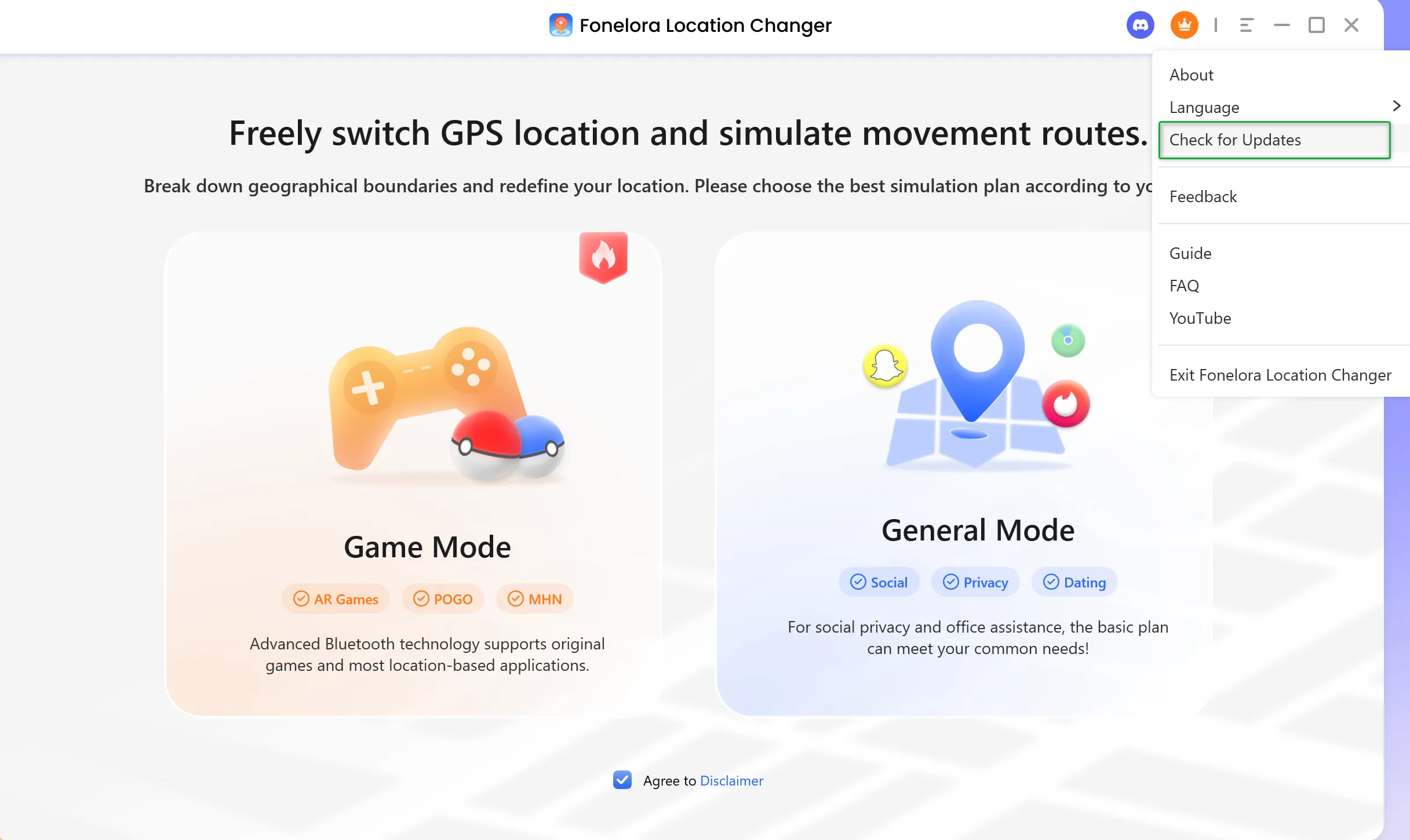
How to Update Fonelora Location Changer on Windows
For Mac:
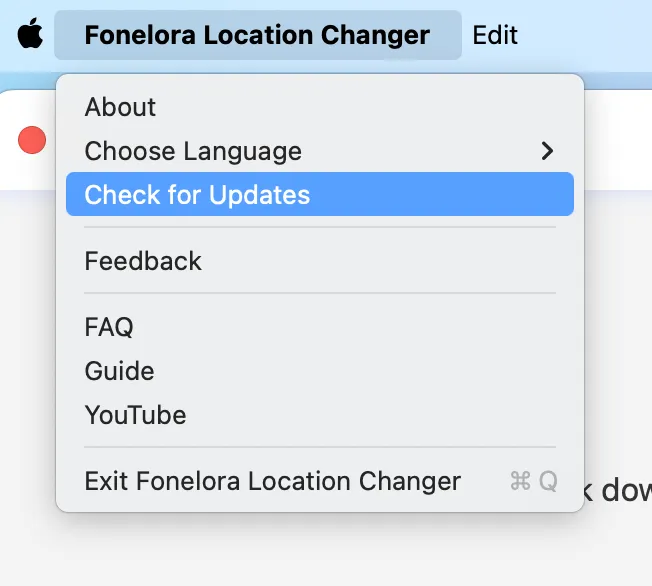
How to Update Fonelora Location Changer on Mac
The other one is to download the latest version of Fonelora Location Changer from our official website straightforwardly.