Help Category


Install & Uninstall
1. How do I fix the installation stuck?
Usually, installation stuck issues are often related to an unstable or poor Internet connection. Please kindly refer to the detailed troubleshooting steps below.
1. Make sure your Internet connection is working properly.
2. Quit the installation. And then, please click here to try again.
2. How do I uninstall Fonelora Location Changer from my computer completely?
To uninstall Fonelora Location Changer on your computer, please follow the steps below.
For Mac:
Open Finder > Click Applications > Find Fonelora Location Changer > Right-click Fonelora Location Changer to choose Move to Trash > Right-click Trash to select Empty Trash.
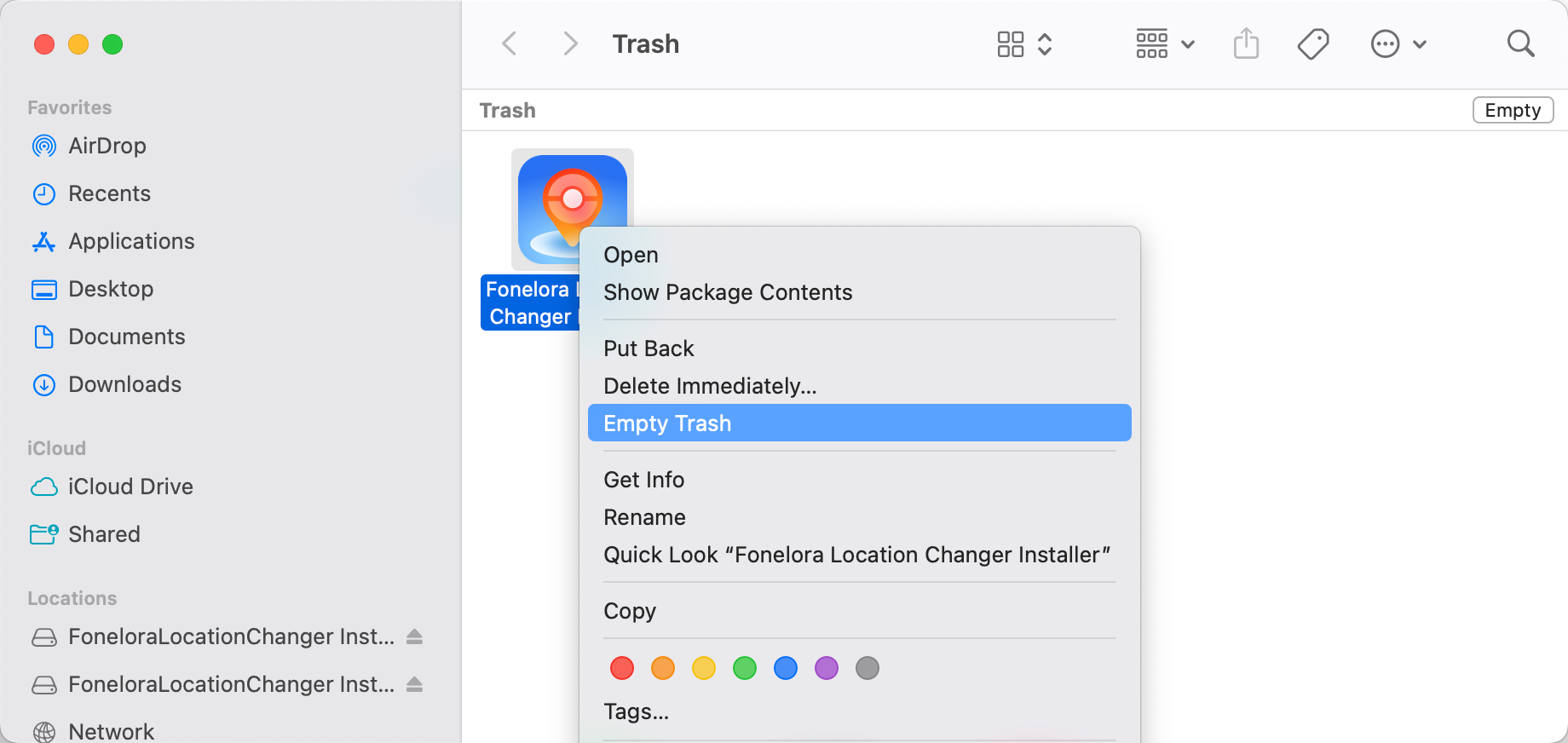
How to Uninstall Fonelora Location Changer on Mac
For Windows:
Open Control Panel > Choose Programs > Click Programs and Features > Find Fonelora Location Changer > Right-click Fonelora Location Changer > to Uninstall/Change.
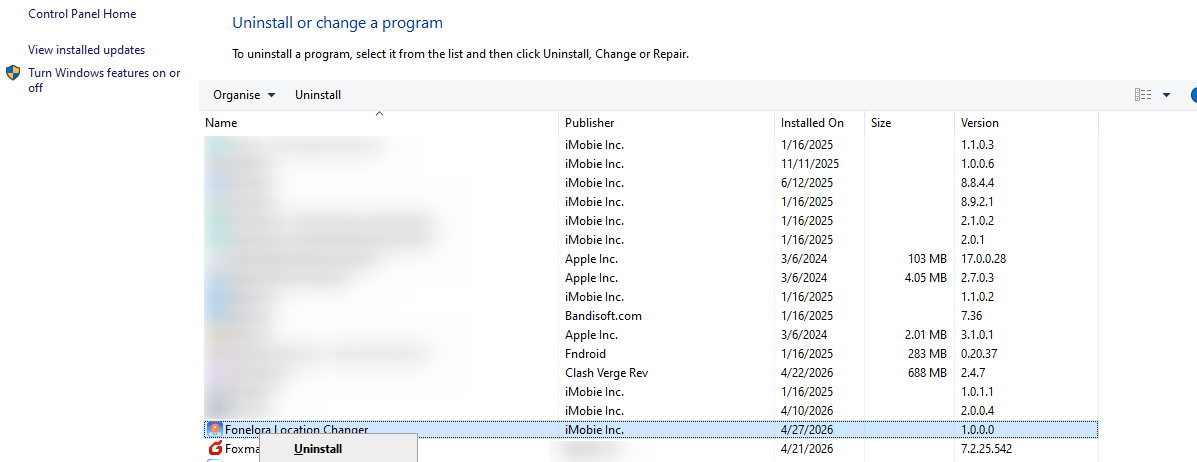
How to Uninstall Fonelora Location Changer on Windows
If you have any suggestions or need further assistance, please contact our Support Team to help you.Your feedback is very important to us.
3. How do I reinstall Fonelora Location Changer?
First, please uninstall Fonelora Location Changer on your computer. Then please click this to download and install it again.