Help Category


Feedback & Logfile
1. How to send a log file for further diagnosis?
If you meet the technical problems about Fonelora Location Changer, to help us make better analysis and find a solution for you soon, please send the log file to Support Team.
Method 1: Send Log File via Fonelora Location Changer
It is easy to send logFile:
Open Fonelora Location Changer > Click Feedback button > Enter your email address & describe the issue > Click Submit.
For Mac:
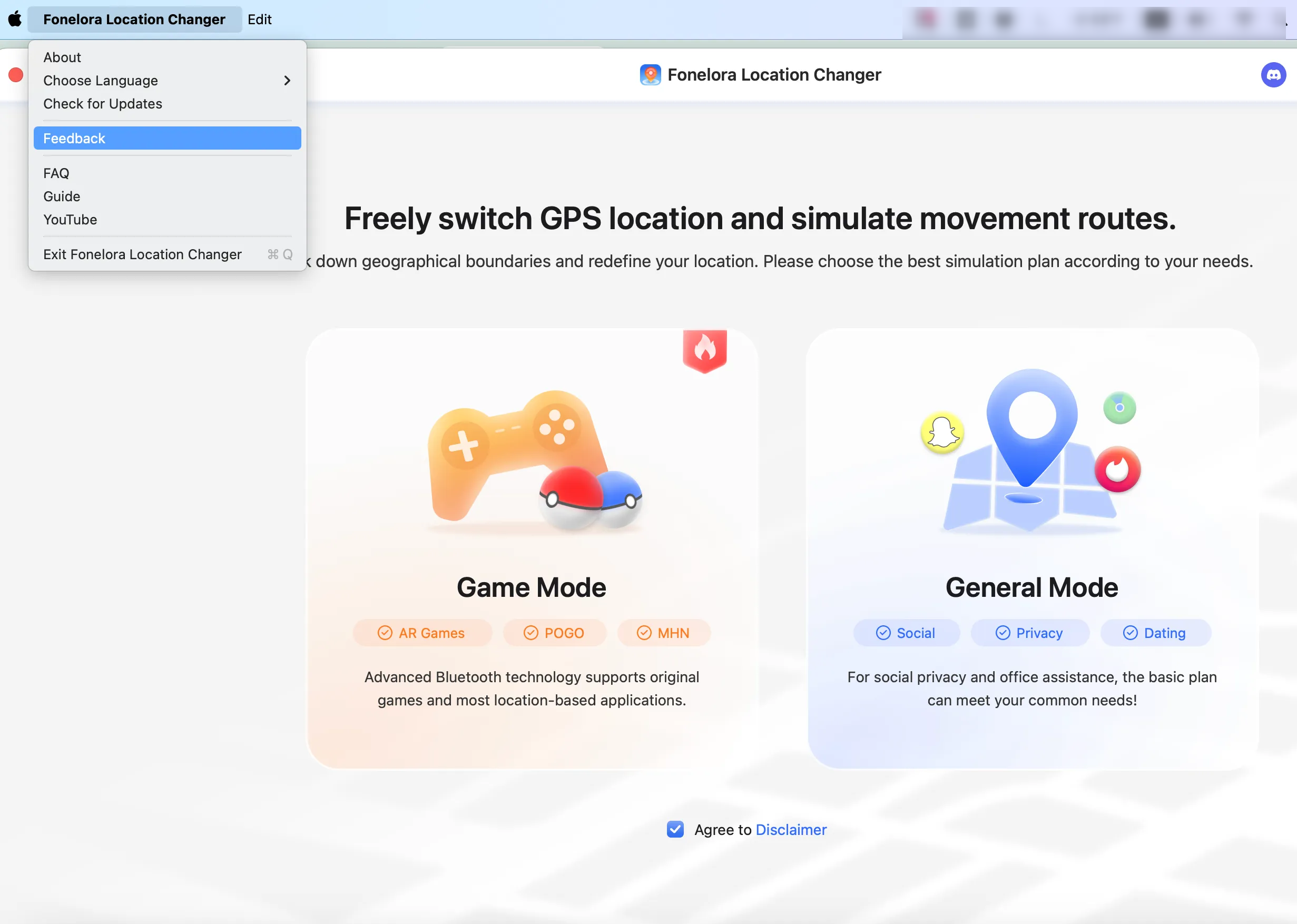
How to Send Log File on Mac
For Windows:
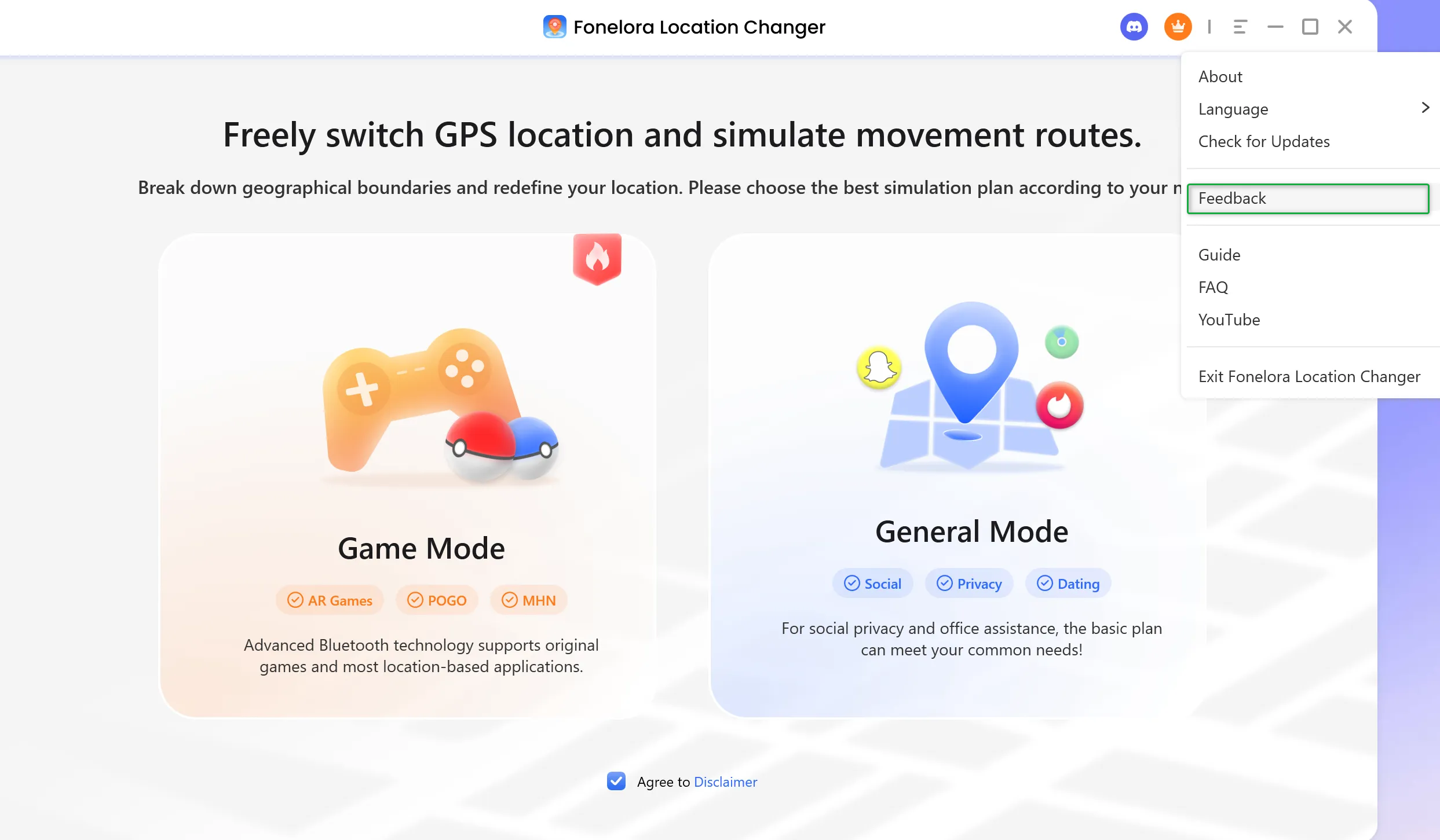
How to Send Log File on Windows
Method 2: Send Log File via Email:
If you cannot send the log file directly, please find the error log from the path below and zip it as attachments via email to [email protected].
Mac:
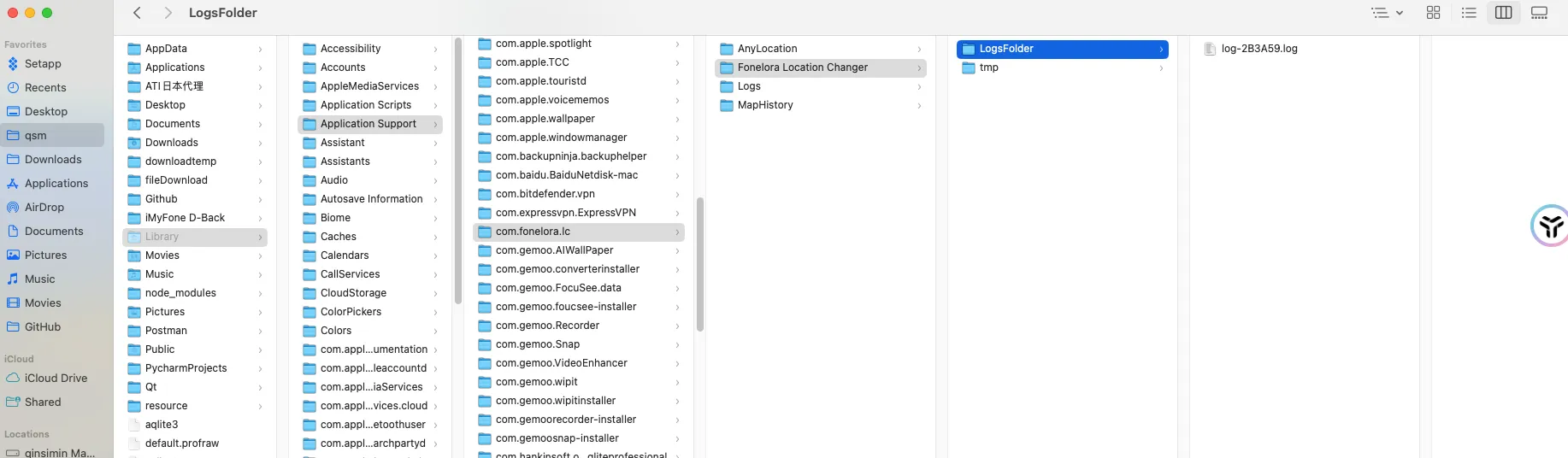
How to Send Log File on Mac
Windows:

How to Send Log File on Windows