Help Category


Settings
1. How to switch the language in Fonelora Location Changer?
To provide global customers with a better user experience, Fonelora Location Changer currently supports 6 languages (English, Japanese, German, French, Spanish, and Traditional Chinese). Please follow the detailed instructions below to switch to your preferred language.
For Mac:
Open Fonelora Location Changer > Click the Menu button on the upper left of the screen > Click Choose Language option> Choose your preferred language.
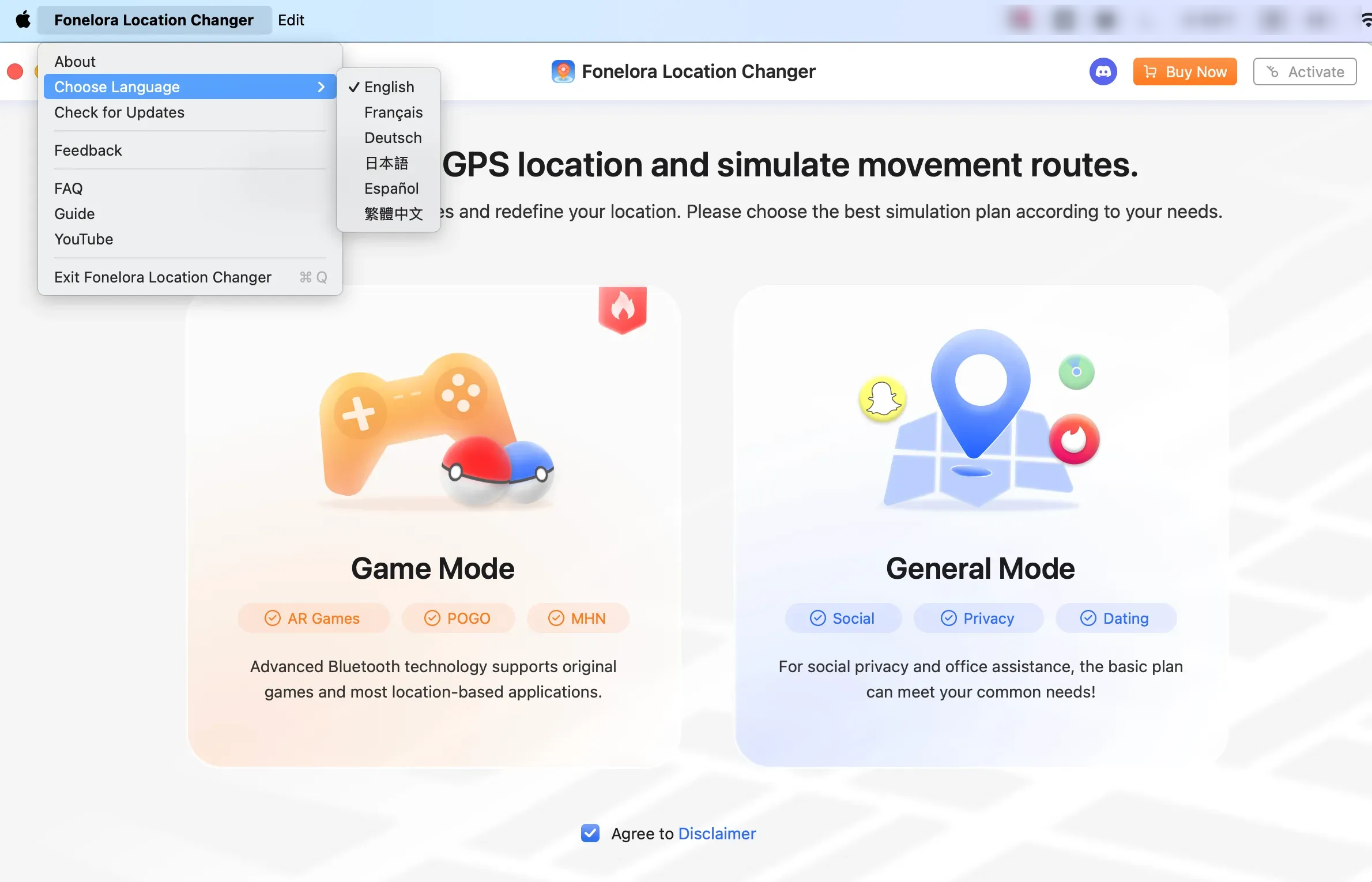
How to Switch Language on Mac
For Windows:
Open Fonelora Location Changer > Click the Menu button on the upper right of its interface > Click Language option > Choose your preferred language.
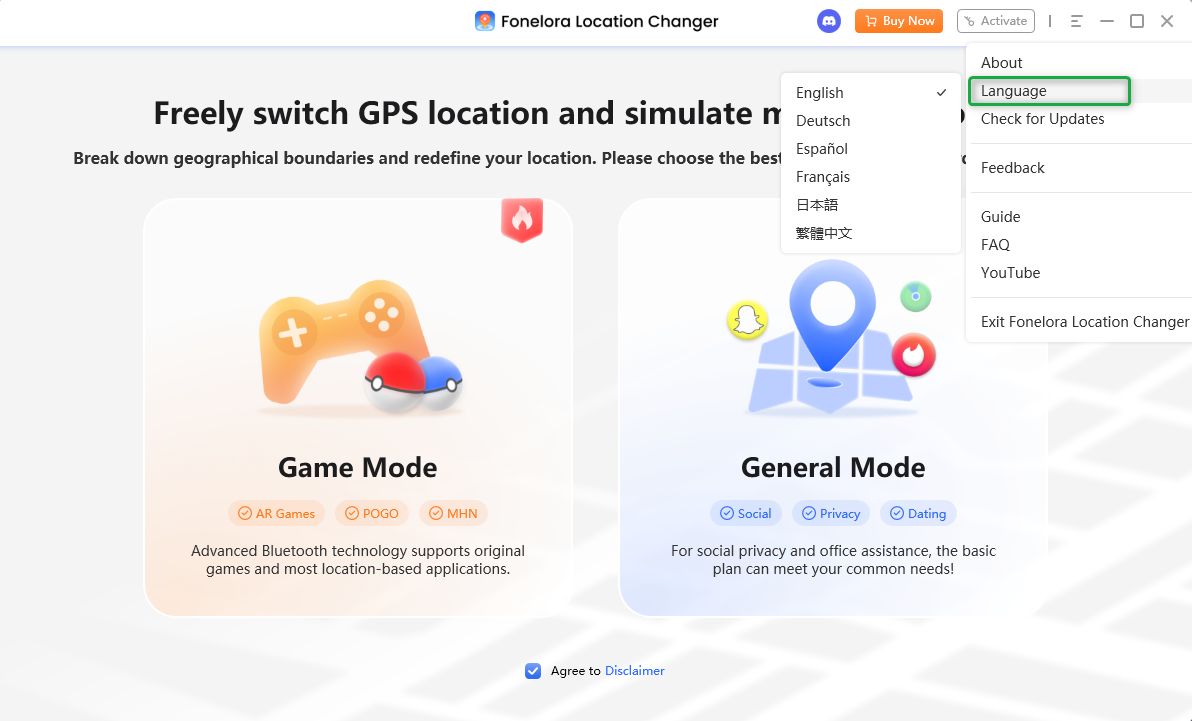
How to Switch Language on Windows