Basic Information
1. What Is Fonelora Location Changer?
Fonelora Location Changer is a secure and intelligent all-in-one location spoofing solution for both iOS and Android devices. It enables users to easily modify their GPS location for gaming, privacy protection, and social networking scenarios. With advanced simulation technology, it delivers realistic location changes while ensuring a smooth and reliable experience. Designed with user safety in mind, Fonelora provides zero-risk privacy protection, helping users manage their location data efficiently and confidently.
2. What Are Scenarios for Fonelora Location Changer?
Fonelora Location Changer is designed to enhance flexibility, privacy, and fun across a variety of everyday digital experiences:
• Location-Based Gaming (LBS Games)
Enjoy popular games like Pokémon GO or Monster Hunter without physically moving. Easily explore different regions, access rare in-game resources, and participate in global events—all from the comfort of your home.
• Social Media & Entertainment
Simulate your location on platforms such as Facebook, WhatsApp, and Snapchat to make your posts more engaging and entertaining. Share virtual travels and surprise your friends with creative location updates.
• Dating & Networking Apps
Change your location on dating platforms to connect with people from different cities or countries. Expand your social circle and increase your chances of matching with new friends.
• Privacy Protection & Anti-Tracking
Prevent unwanted tracking from apps like Life360 or similar services. Safeguard your real-time location and maintain personal privacy by displaying a virtual location instead.
• Family & Device Location Control
Avoid exposing your real location through services like Find My iPhone. Manage how and when your location is shared with family members or friends, ensuring greater control over your personal data.
3. Computer System Requirements
To ensure smooth performance when using Fonelora Location Changer, please make sure your computer meets the following system requirements.
Windows
• Operating System: Windows 10 or Windows 11
Mac
• Operating System: macOS 10.15 or later
4. Supported Device Types
To ensure compatibility when using Fonelora Location Changer, please make sure your device meets the following requirements.
iOS
• Operating System: iOS 7.0 or later
Android
• Operating System: Android 5.0 or later
5. Differences Between Free & Activated Version
| Features | Free Version | Activated Version |
| Bluetooth Mode |  |
 |
| Teleport Mode | 2 times | Unlimited |
| Jump Teleport Mode | 2 times | Unlimited |
| Single-Spot Mode | 2 times | Unlimited |
| Multi-Spot Mode | 2 times | Unlimited |
| Joystick Mode | 20 minutes | Unlimited |
| Import/Export GPX | |
|
| History & Favorites | |
|
| Multi-Device Management | 1 device | 5 devices |
6. Activating Instructions
If Fonelora Location Changer satisfies your expectations, welcome to download and give it a try. To enjoy all benefits of Fonelora Location Changer, you need to upgrade to the full version (See Pricing). After completing the payment, you will receive Account and Activation Code within several seconds to minutes. Please click the Activate button.
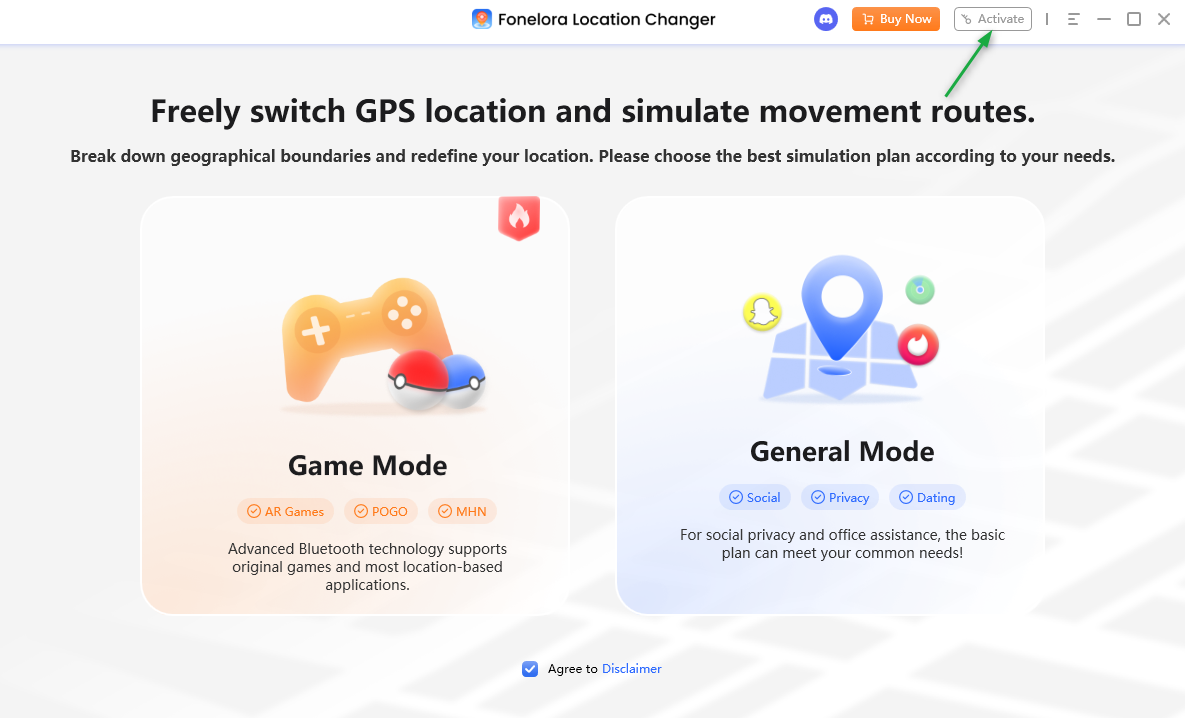
Activation Interface
Enter your Account and Activation Code below, then click the Activate button. To ensure accuracy, we recommend copying and pasting the activation code instead of typing it manually.
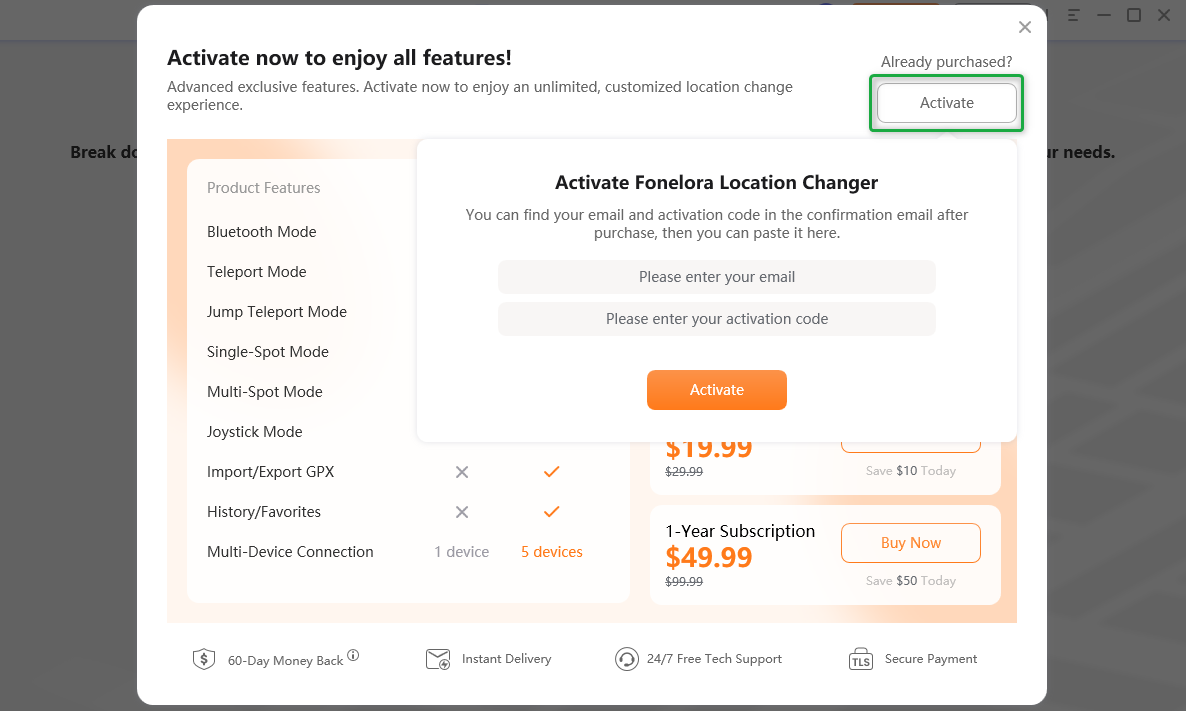
Enter your Account and Activation Code
After completing activating process successfully, you will see the interface below.
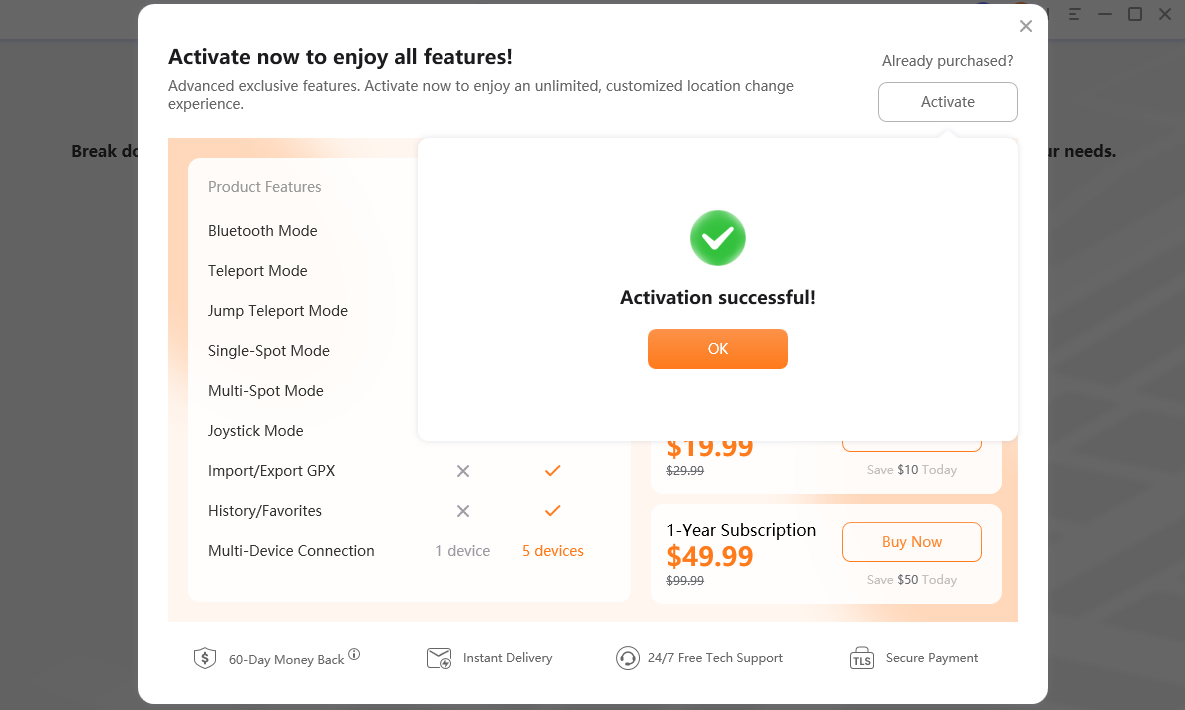
Activation Succeeded
7. Menu Bar Settings
After you launch Fonelora Location Changer, you can click the Setting icon in the upper right corner to enter the Menu Bar Settings.
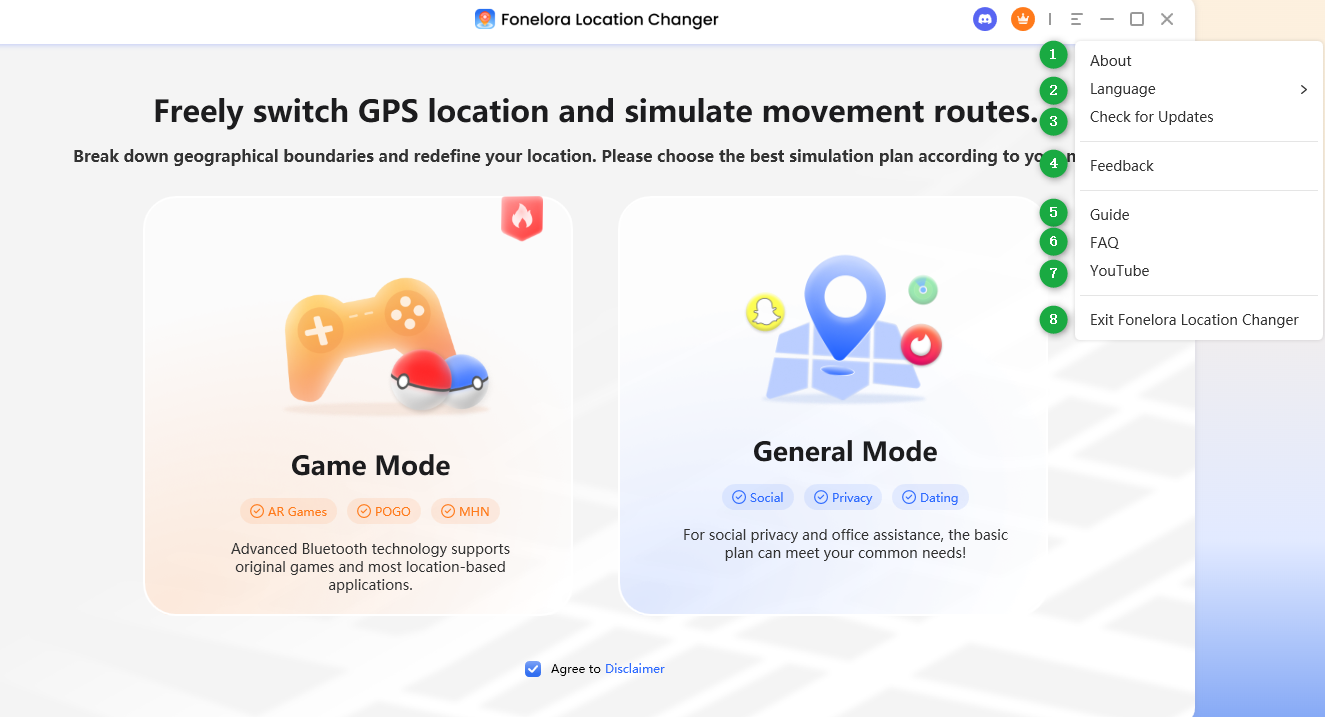
Menu Bar Settings
Here you can unfold the Menu Bar Settings button to:
About: Check Fonelora Location Changer version.
Language: Choose your preferred language. (It currently supports 6 languages: English, French, German, Japanese, Spanish, and Traditional Chinese.)
Check for Updates: Check if there is a newer version of the program and upgrade Fonelora Location Changer.
Feedback: Share with us your thoughts, suggestions, and any issues you encounter while using Fonelora Location Changer.
Guide: View the user guide to make good use of Fonelora Location Changer.
FAQ: Visit the FAQ to get quick solutions.
YouTube: Visit the home page of Fonalora’s YouTube account.
Exit: Exit Fonelora Location Changer.
8. Right-Side Control Panel
Once you enter the map, you can perform the following actions with the right-side control panel:
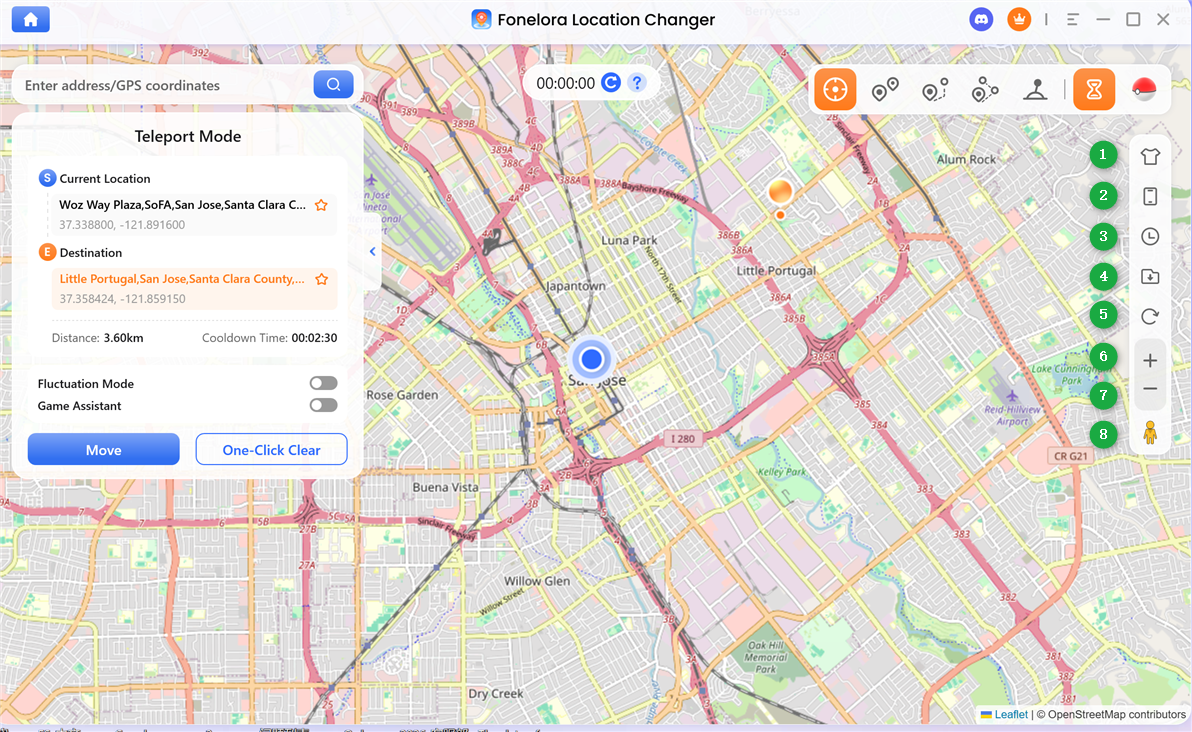
Right-Side Control Panel
Map Themes: Choose your preferred map style.
Device Management: Select and manage the device you want to control.
History & Favorites: View and manage previously used routes and locations, as well as your saved favorite spots or paths.
Import GPX File: Click to import a .gpx file and load route information directly into the map.
Reset Location: Click to view instructions on how to restore your device to its real location.
Zoom In: Enlarge the map view.
Zoom Out: Reduce the map view.
Virtual Location: Center the current point on the map.
If you have additional questions, visit our FAQs page for detailed solutions or reach out to our Support Team for further help or personalized assistance.
Fonelora Location Changer Basic Information FAQs
1. What devices are supported by Fonelora Location Changer?
Fonelora Location Changer supports both iOS and Android devices. For iOS, it works with iOS 7.0 or later, and for Android, it supports Android 5.0 or above.
2. What computer systems are required to run Fonelora Location Changer?
The software is compatible with Windows 10/11 and macOS 10.15 or later. Please ensure your computer meets these requirements for optimal performance.
3. What is the difference between the free version and the activated version?
The free version has limited access, including restricted usage times and fewer features. The activated version unlocks all functions such as unlimited teleport modes, joystick usage, GPX import/export, history records, and multi-device management.
4. How do I activate Fonelora Location Changer?
After purchasing, you will receive your account and activation code via email. Open the software, click the “Activate” button, and enter your credentials. It is recommended to copy and paste the activation code to avoid errors.
5. What can I do if the activation code doesn’t work?
First, ensure that the code is entered correctly without extra spaces. If the issue persists, please contact the Support Team and provide your order details for assistance.
6. What are the main use cases of Fonelora Location Changer?
It can be used for location-based games, social media simulation, dating apps, privacy protection, and managing location sharing with family or friends.
7. Can I import routes into the map?
Yes, you can import .gpx files using the “Import GPX” feature on the right-side control panel to simulate predefined routes.
8. How can I restore my real location after spoofing?
You can use the “Reset Device Location” option in the right-side control panel. Follow the on-screen instructions to return your device to its actual GPS location.